

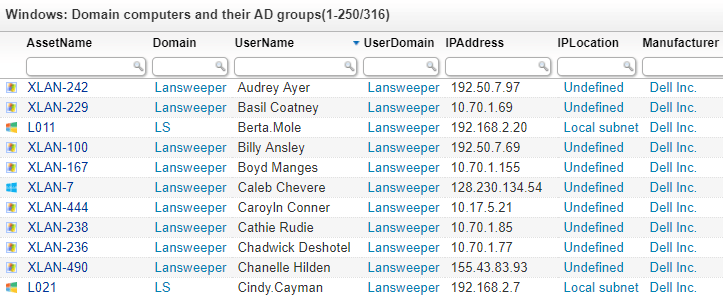
IT administrators are often too overwhelmed by other admin tasks to make Active Directory audits & cleanups a priority. Therefore, it’s critical to have an easy overview of all AD computers and users, even disabled ones. Lansweeper allows you to scan a wealth of information from active directory by using Active Directory Scanning. You can scan both Windows computers and users from Active Directory. Active Directory scanning also adds information like status, OU, company, description, location, BitLocker recovery key, manager and much more.
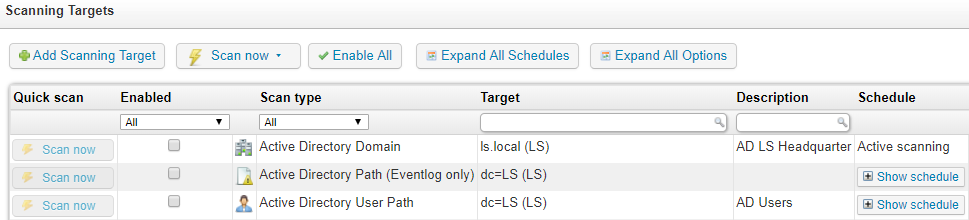
Active directory domain scans (or rescans) target your domain computers as they come online. This ensures the Active Directory audit information is up-to-date at all times. You can even have multiple scanning servers working together to scan one or more domains. Scan multiple remote locations by setting up a scanning server on each site.
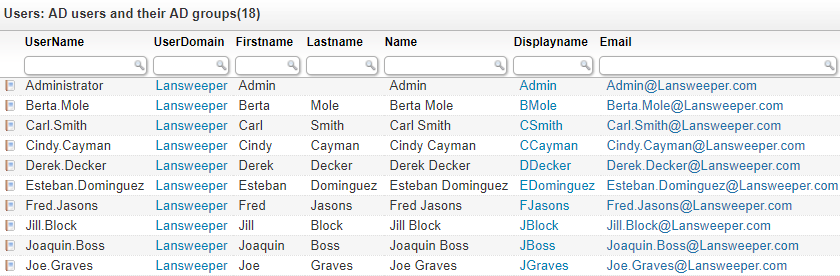
Lansweeper also scans Active Directory users, groups and their properties. By specifying which active directory domain or OU you would like to scan for users and groups, Lansweeper will retrieve active directory users information like status, name, phone number, email address, physical address, password attributes, description and much more. Additionally, you can scan active directory group information like group name, type, and description.
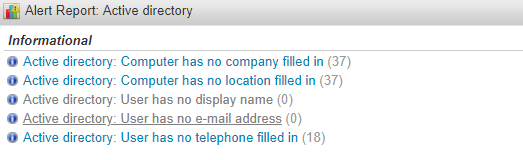
Lansweeper will help you manage and audit your Active Directory by providing reports on a variety of AD user and computer details. Use a number of built-in reports to track down incomplete AD records or build your own reports from scratch. Powered by SQL, the Lansweeper report builder provides the necessary tools for flexible and customizable reporting.
Automatically Discover Active Directory Information