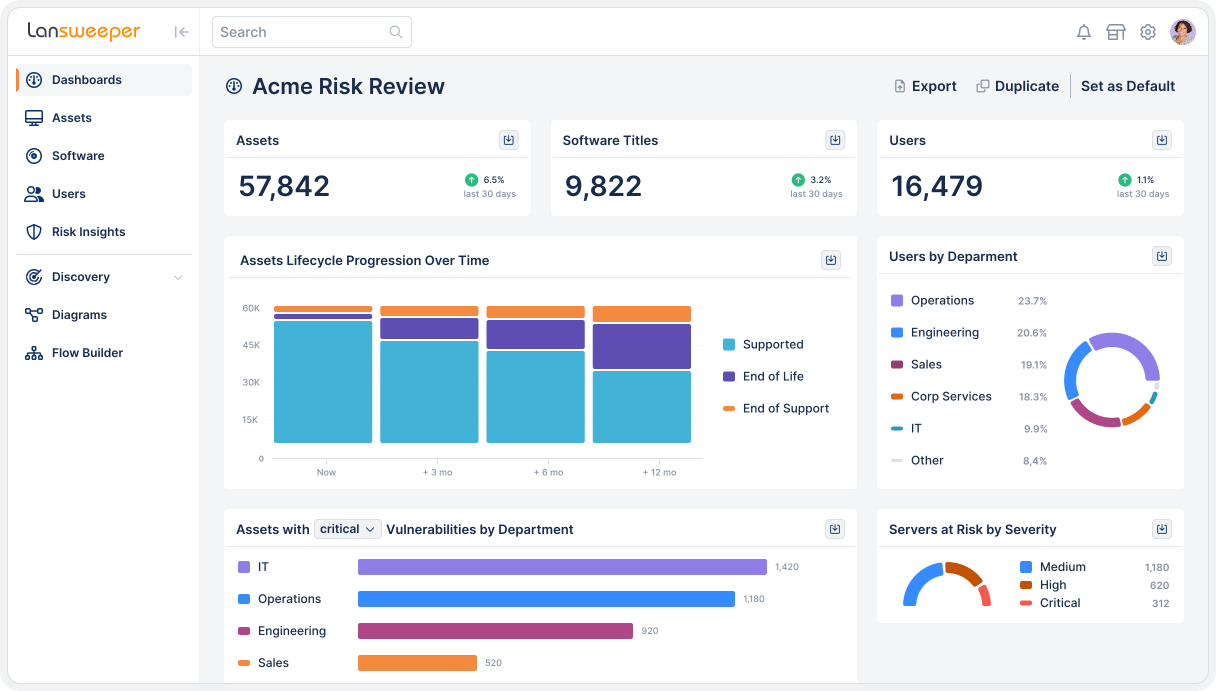
Software sprawl is expensive, hard to audit, and a growing security risk. Lansweeper continuously discovers and validates every installed application, giving IT and Security the accurate software intelligence needed to reduce spend and close compliance gaps.




Complete Visibility
Lansweeper continuously scans your entire environment to detect every installed application across on-premises, cloud, and hybrid infrastructure. Software naming is standardized, data is enriched with context, and the result is a complete, deduplicated software inventory both IT and Security can trust as a shared foundation.

Cost Optimization
Real usage tracked against entitlements surfaces unused, duplicate, and underutilized software across the entire estate. Lansweeper gives IT the data needed to rightsize allocations, avoid over-purchasing, and negotiate renewals from a position of strength — backed by continuously validated usage intelligence, not estimates assembled before the renewal deadline.

Compliance
Proactively identify gaps, misalignments, unauthorized installs, and generate reports that satisfy auditors, without the last-minute scramble. Lansweeper cross-references discovered software against licensing data and vendor contracts to make sure you’re always compliant, avoiding fines and reputational damage.
Risk Insights
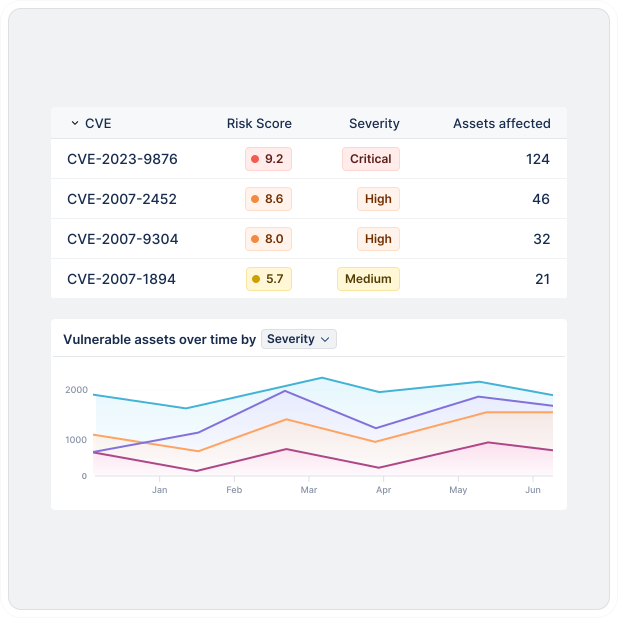
Outdated or unpatched applications are a top attack vector. Lansweeper’s risk insights correlates software versions with known vulnerabilities to provide you with an actionable list of active threats against your network. This way you can prioritize remediation efforts where they are needed most based on exploitability, severity, and exposure.

AI Usage Tracking
Shadow AI is a growing software governance gap. Lansweeper detects AI service connections, locally installed AI applications, browser extensions, and IDE plugins across every device. Every finding is tied to a specific device, user, and risk classification, giving IT and Security the context needed to enforce AI usage policy on accurate, continuously validated data.

SAM Orchestration
Lansweeper connects software asset intelligence directly into the platforms your teams already work in, from SAM and ITSM tools to security and procurement workflows.
How it works
Discover every asset, understand what’s at risk, and push trusted data to the tools that take action.


Continuously discover and classify every asset across IT, OT, cloud, and IoT — managed, unmanaged, and shadow — without manual effort.
Normalize and apply context, vulnerability data, and lifecycle signals to assess risk, forecast spend, and surface optimization opportunities.
Deliver trusted asset intelligence to ITSM, CMDB, and security tools so actions are accurate, scoped, and prioritized.
INTEGRATIONS
Lansweeper feeds trusted, continuously updated asset intelligence into the tools that take action.





Explore the full platform, free for 14 days.
No credit card required.
Software Asset Management (SAM) is the process of tracking and optimizing software usage across an organization. It helps reduce costs, improve compliance, and minimize security risks associated with unauthorized or outdated software.
Lansweeper identifies unused, redundant, or underutilized software across your environment, allowing you to optimize license allocations and avoid unnecessary purchases.
By continuously tracking software installations and comparing them against license entitlements, Lansweeper ensures you’re always prepared for audits and reduces the risk of non-compliance fines.